EMSC Portal
One staff portal replacing four separate spreadsheet systems, built for the English Major Student Committee at Bangkok University.
EMSC Portal
Four Apps Script systems had grown up separately, each with its own login, its own spreadsheet, and its own idea of who a committee member was. Staff re-entered the same person into three places, and nobody could answer a question that crossed two systems.
- Systems consolidated
- 4
- Automated tests
- 1,200+
- Inventory items tracked
- 570
- Next.js 14
- TypeScript
- Supabase Postgres + RLS
- NextAuth v5
- LINE Messaging API
- Resend
- Tailwind
- Vitest
- Vercel
Why it was rebuilt
Four Apps Script systems had each solved a real problem, and each had solved it alone. A committee member existed three times over — in the registry, in the inventory system's borrow records, in an event's participant list — under three slightly different spellings. Nobody could answer a question that crossed two systems without opening both and reconciling by eye.
The rebuild was not motivated by the technology. It was motivated by the reconciliation work, which had quietly become somebody's weekly job.
What changed
One Postgres database with row-level security replaced four spreadsheets. A single permission model — organisation roles mapped to module-and-action pairs — replaced four separate ideas of who was allowed to do what. Staff sign in once, with a Google account or a password, and the portal decides what they can see.
Notifications moved from someone manually chasing people to scheduled digests over the LINE Messaging API, which is where the committee already talks. Email goes out through Resend when a message needs to be a record rather than a nudge.
How the permission model works
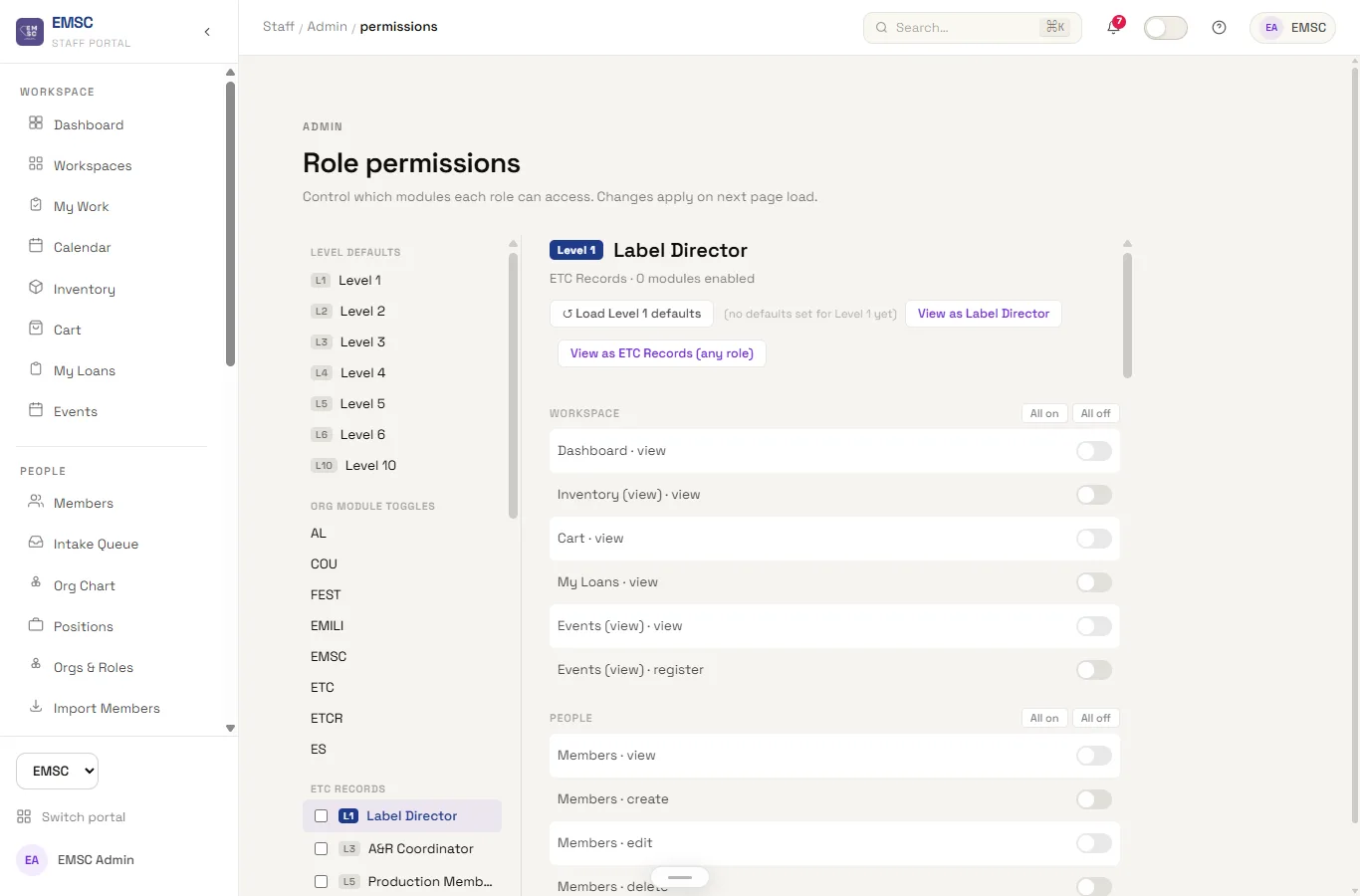
Every module declares its actions in one registry. An admin bypasses everything.
Everyone else gets there through active assignments: member → organisation roles
→ granted (role, module, action) rows.
Pages call a guard that redirects on failure; API routes check and return 403. No route re-implements the rule, which means a permission bug is fixed in one place rather than found in six. Adding a module means adding it to the registry, seeding per-level defaults in the same migration, and writing an integration test — the module is not considered done without one.
The database workflow
Any schema change moves through four steps in order: write a migration, reset the database from scratch, regenerate the TypeScript types from the live schema, then build. Skipping the type regeneration is the single most common way to break the build, so the order is not a suggestion.
The point of the sequence is that drift between the database and the code is caught by the compiler, on my machine, rather than by a committee member hitting an error at 11pm before an event.
What I kept from the Apps Script era
Prototyping in a low-code tool was the right first move, not a mistake to correct. Apps Script let the committee use a working system within days and made the real requirements visible — which fields people actually filled in, which steps they skipped, which reports anyone ever opened. The rebuild inherited all of that instead of guessing at it.
The cost of the low-code stage was real but bounded: it stopped scaling at exactly the point where the systems needed to talk to each other.
Engineering notes
- Over 1,200 automated tests, including an integration test for every permission-gated module.
- All external input is validated with zod at the API boundary; route handlers stay thin and business logic lives in per-domain modules.
- Deployed on Vercel, with migrations applied deliberately rather than by CI — a rename migration would otherwise break production in the window between the deploy and the schema push.
Dashboard
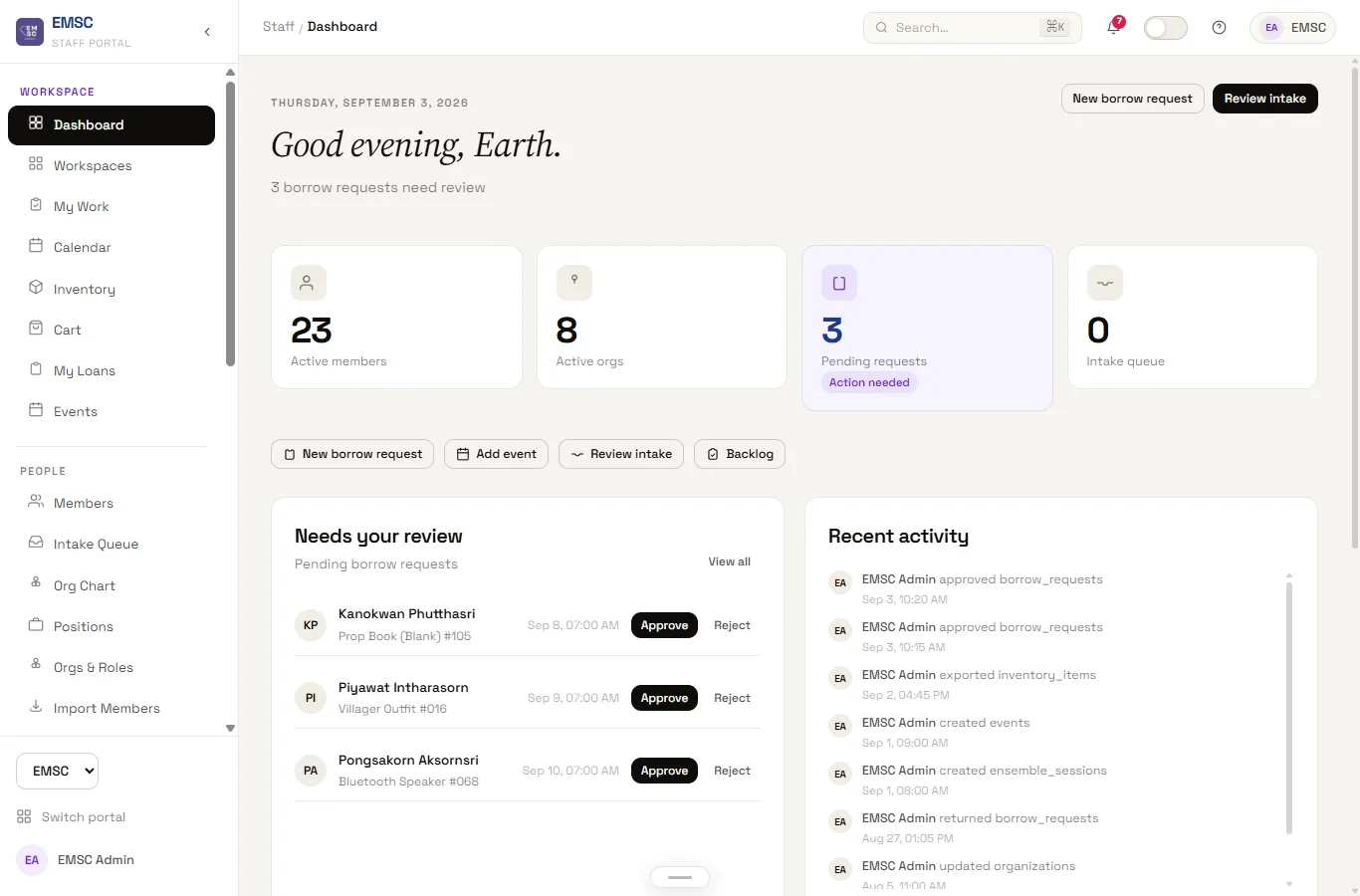
The staff landing page, and the first thing anyone sees after signing in. Pending borrow requests, an unactioned intake queue, and a live activity feed replace what used to be a Monday-morning scroll through three different spreadsheets to find out what needed attention. Every widget is scoped by row-level security to what that member's org roles actually grant — an activity leader sees their own organisation's queue, not the whole committee's — so the same dashboard component serves a first-year member and the president without a single client-side permission check.
Members & Org Chart
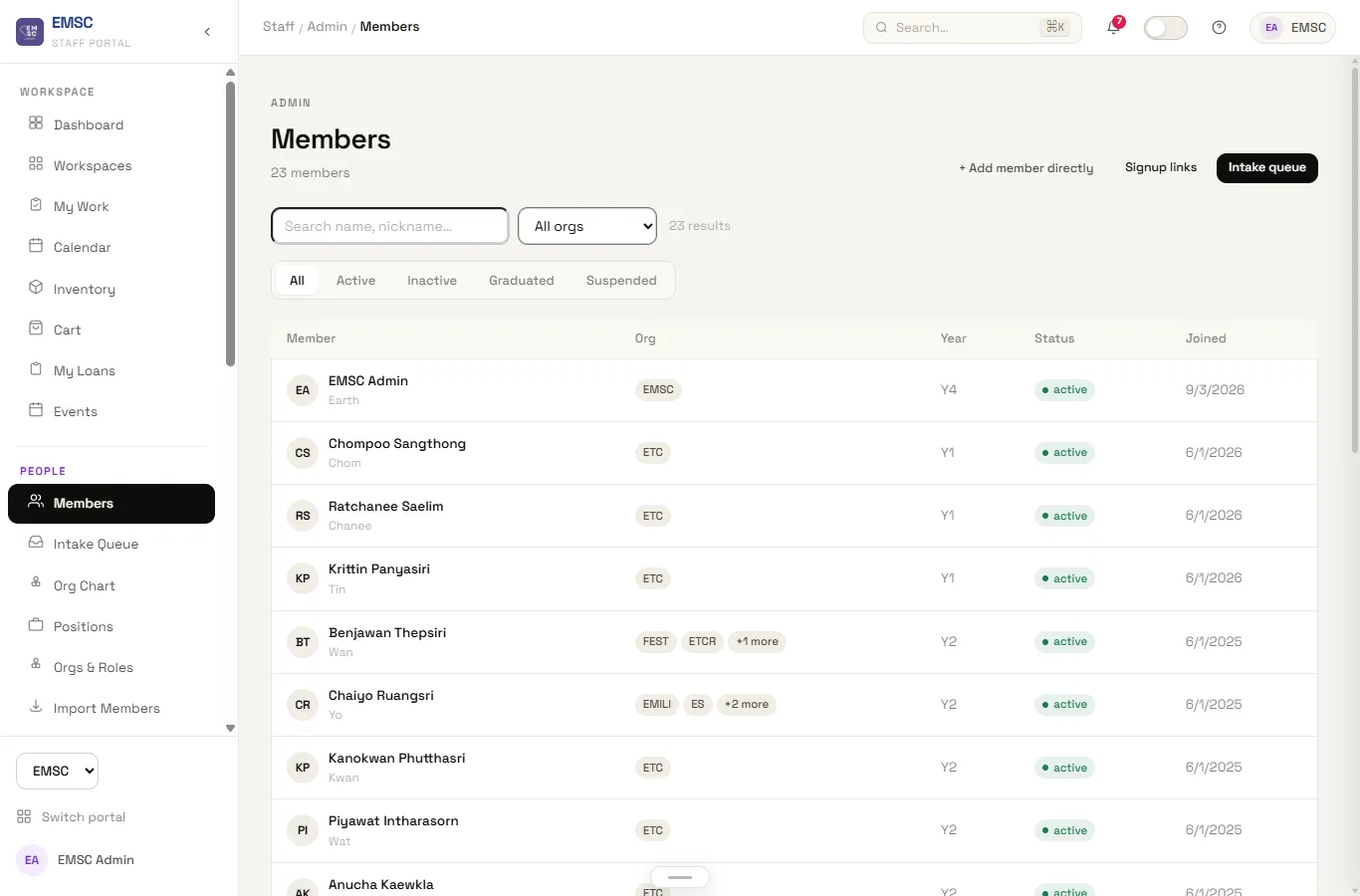
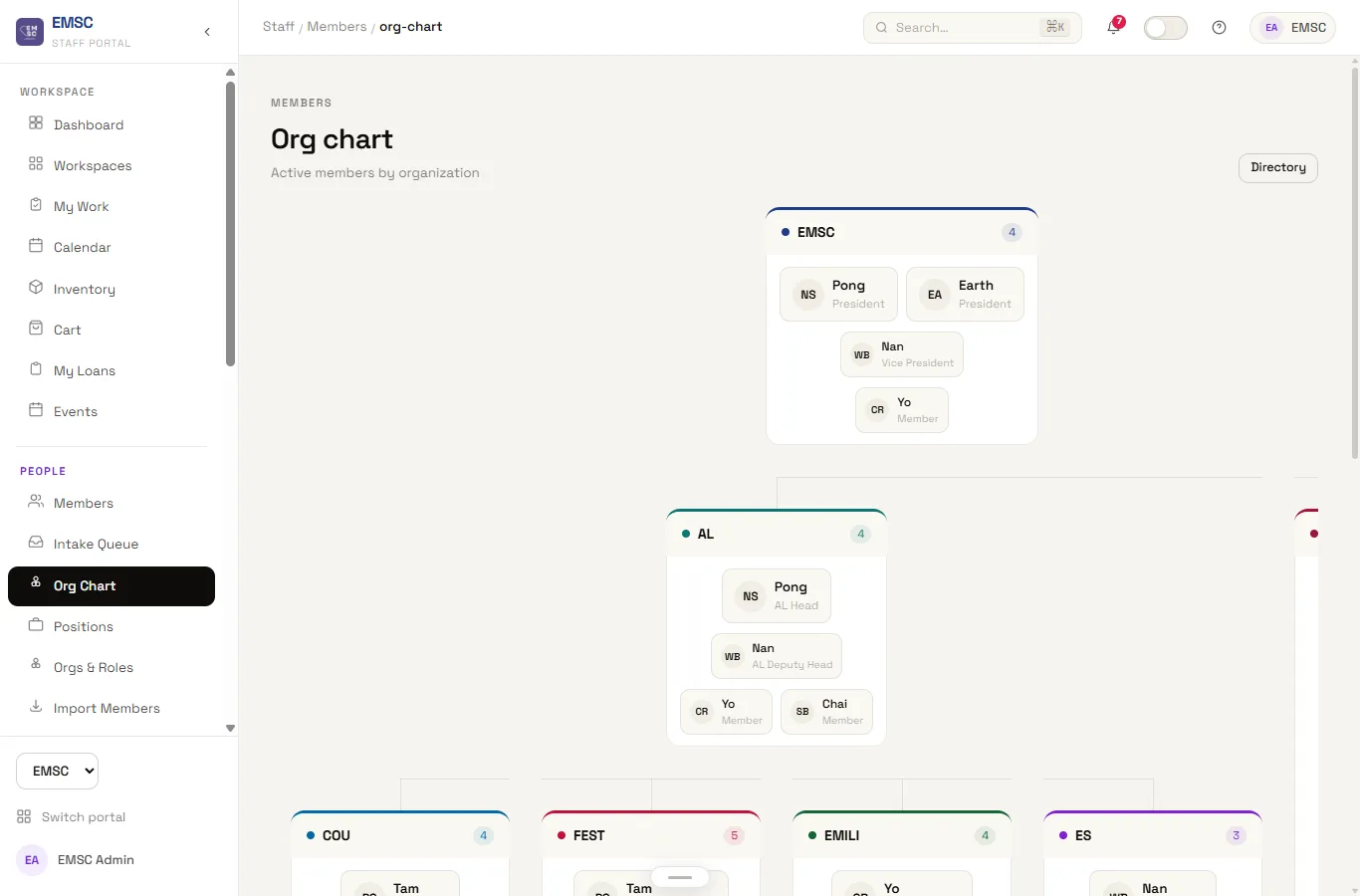
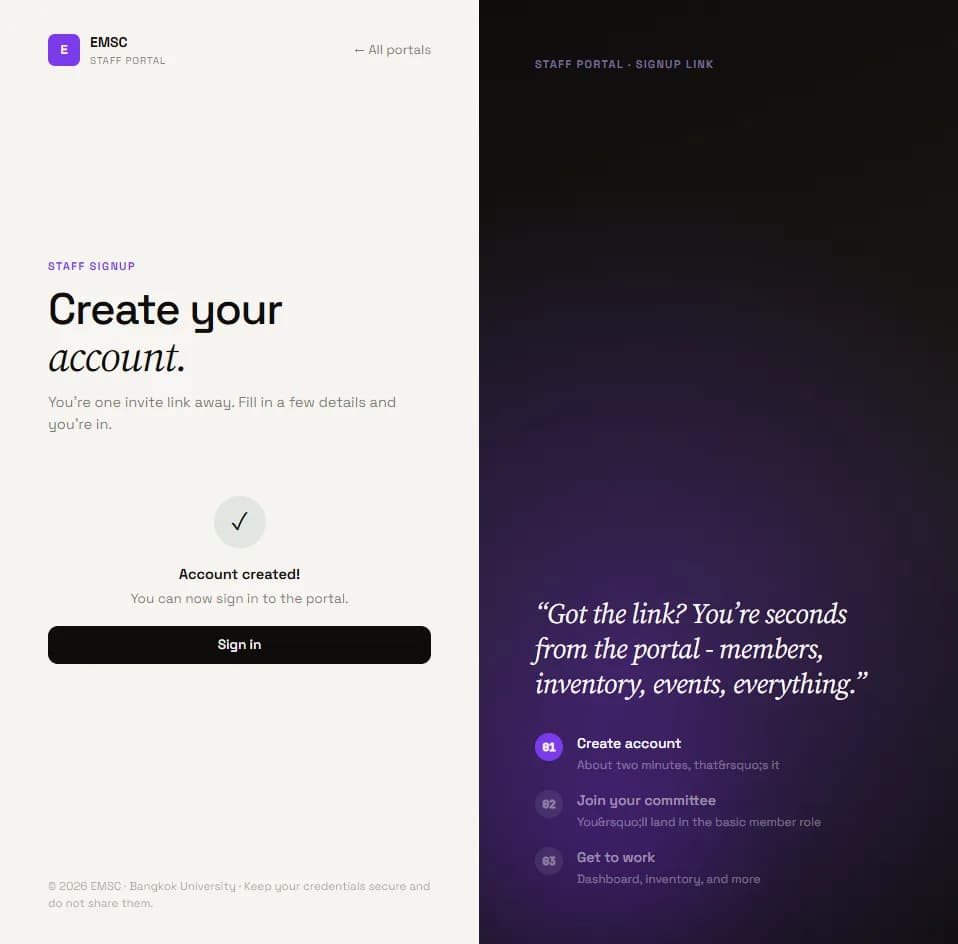
One roster instead of four. Membership is modelled as a many-to-many join — a person can hold a role in more than one sub-organisation at once, which the old spreadsheets could only represent by duplicating the row and hoping both copies got updated. The org chart is generated from that same join table, not hand-maintained, so a new activity leader appears under the right organisation the moment their assignment is created rather than whenever someone remembers to redraw a slide. New staff join through an invite link rather than a shared password, so an account is traceable to the invite that created it.
Inventory
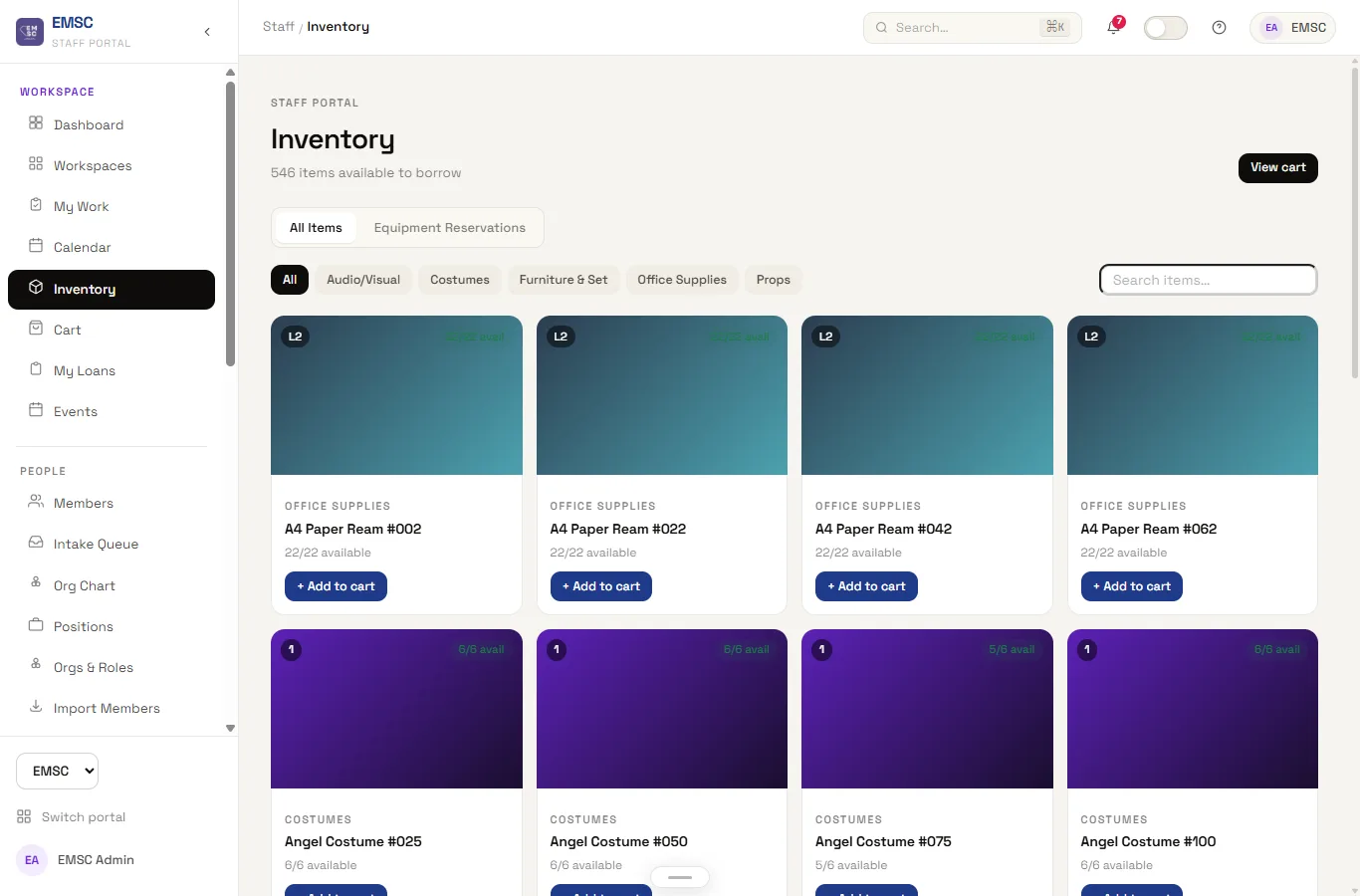
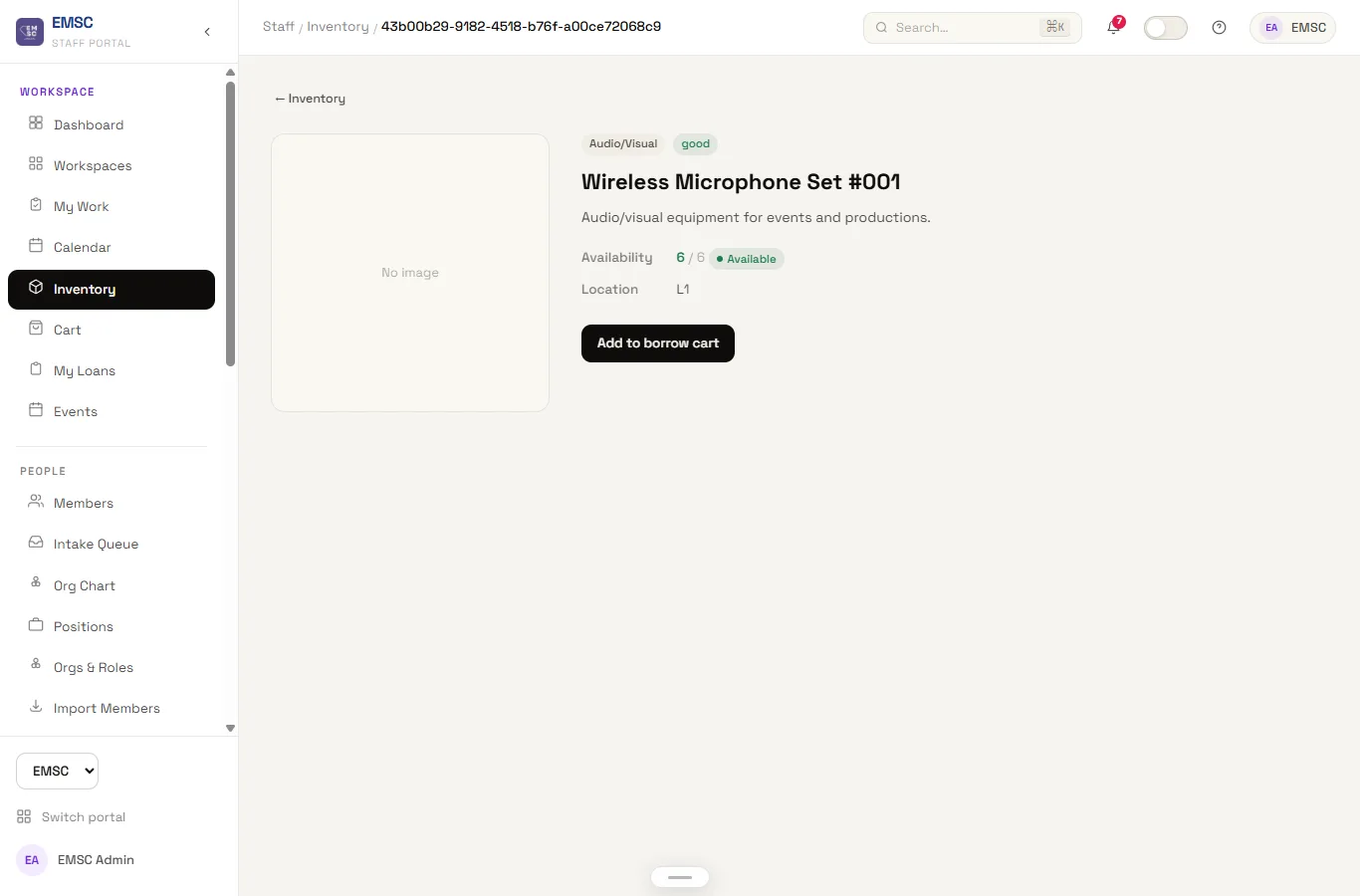
The committee has 570 pieces of shared equipment tracked here — microphones, costumes, props, furniture — each with a system-generated short-code barcode, a quantity on hand, and a full borrow history, replacing a spreadsheet nobody trusted was current. A borrow request moves through the same reservation flow whether it is one microphone or a full box of costumes, and the available count updates immediately on approval rather than waiting for someone to physically recount the shelf. This is the module that inherited the most directly from the Apps Script Committee Inventory Management System — the barcode-generation logic made the jump largely unchanged, because it was already correct.
Events & Check-in
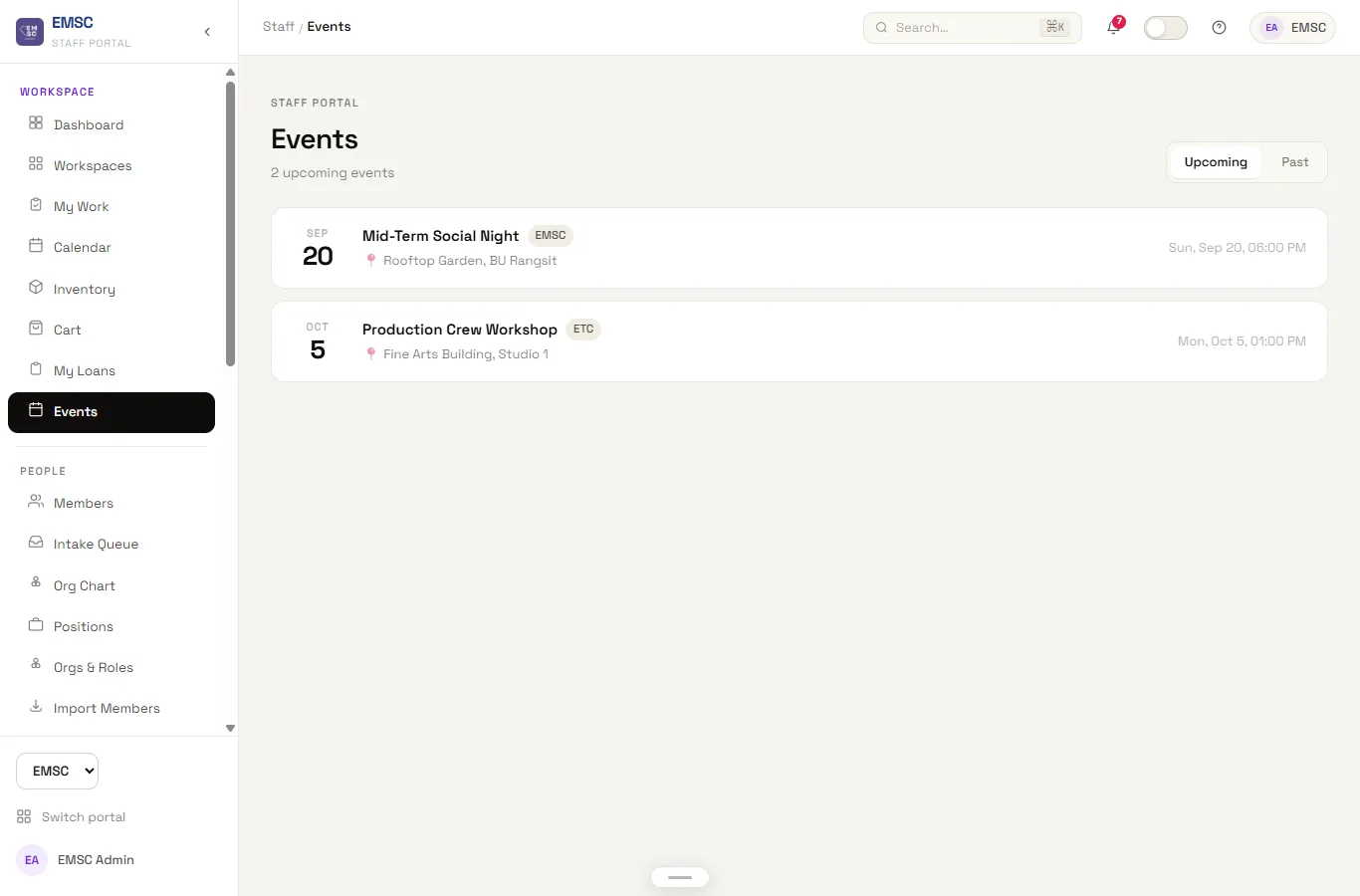
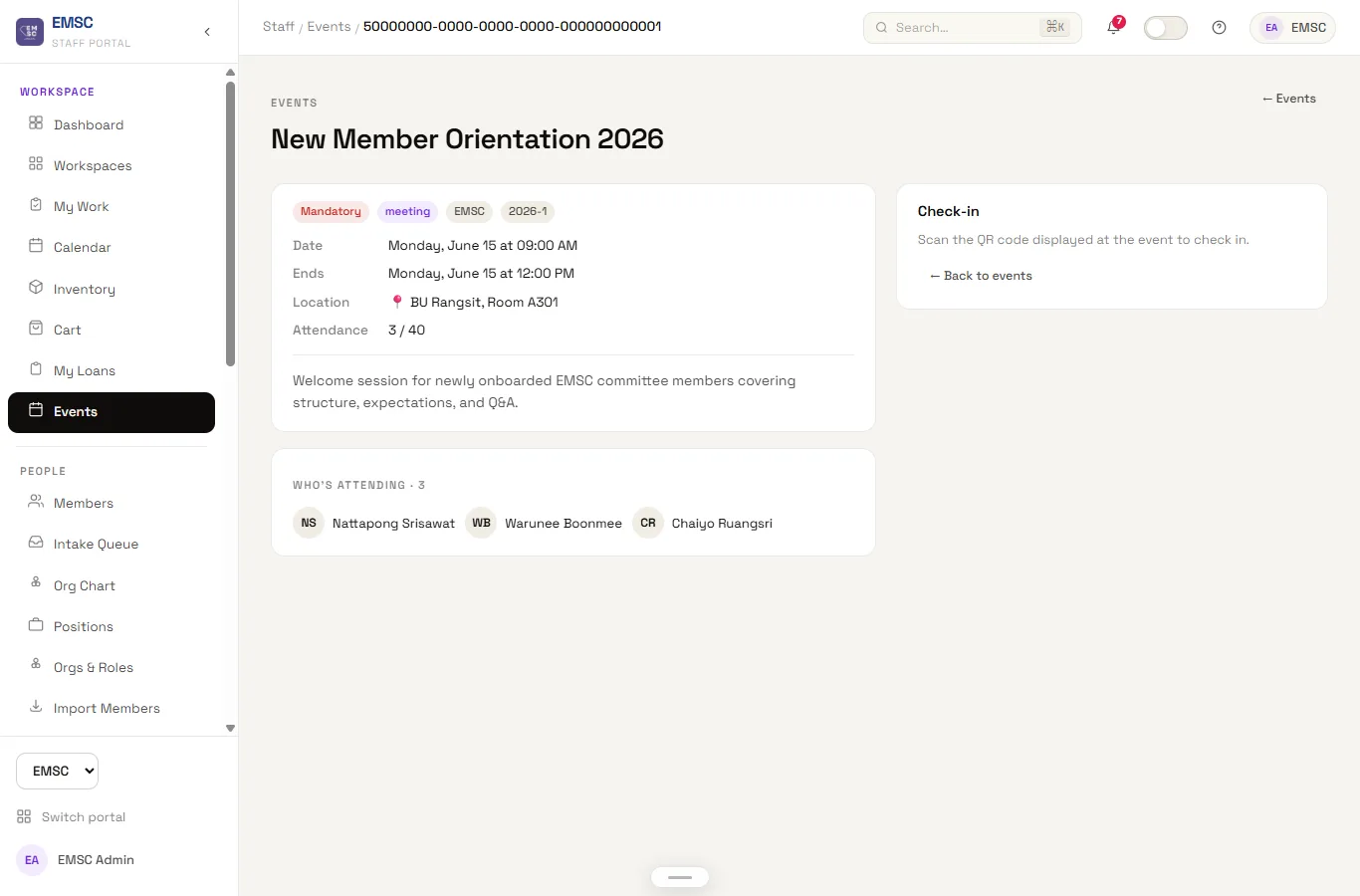
Event registration, attendance, and QR check-in in one flow — built to replace a paper sign-in sheet at the door and a separate spreadsheet for who actually showed up. Staff can see registration numbers climb in real time in the run-up to an event instead of finding out the turnout on the day, and check-in at the door is a scan rather than a name search down a printed list. Attendance recorded here feeds the same member record used everywhere else in the portal, so "did they show up" is answerable from a member's profile without cross-referencing a separate sheet.
Ensemble Tracker
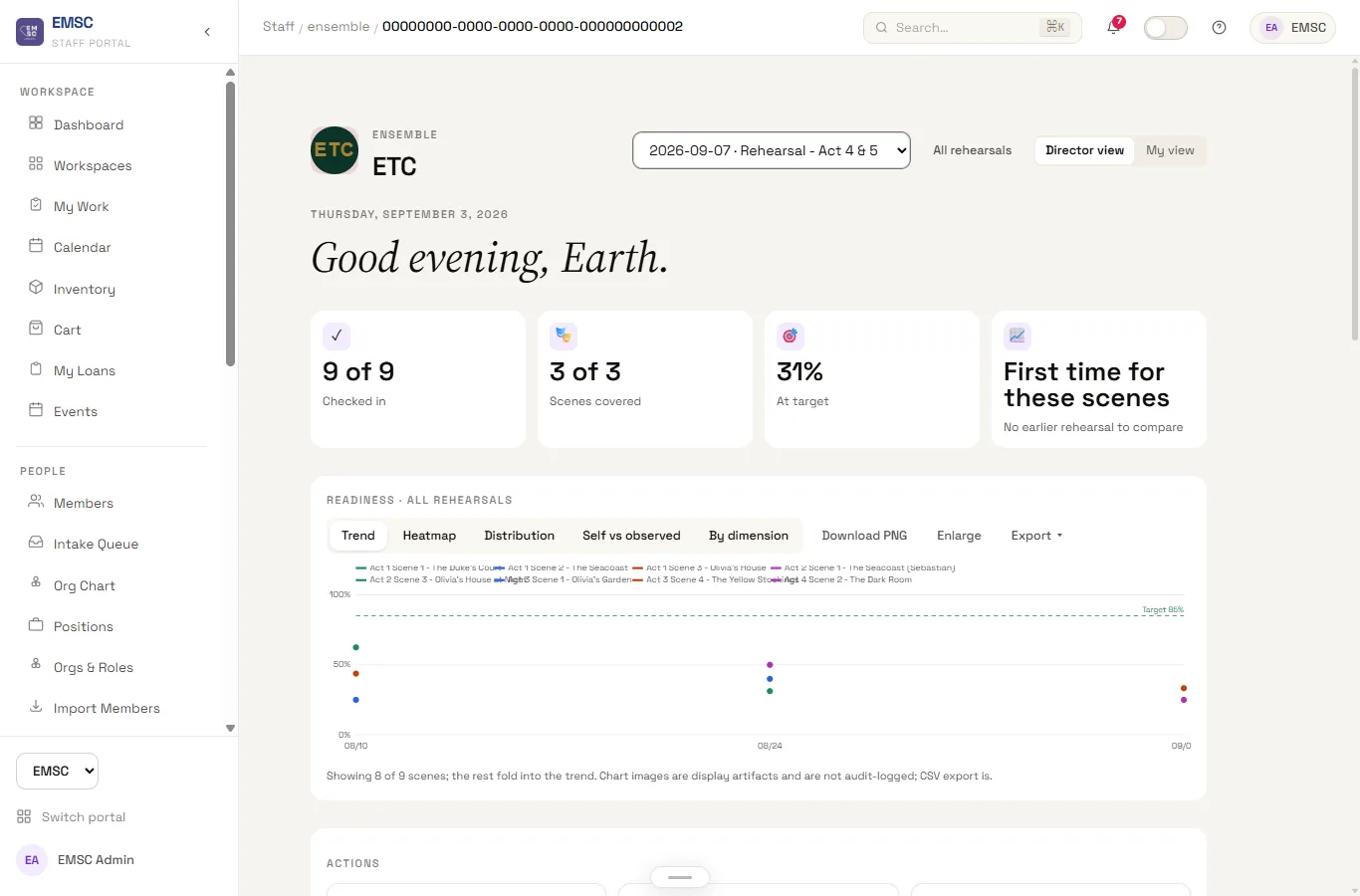
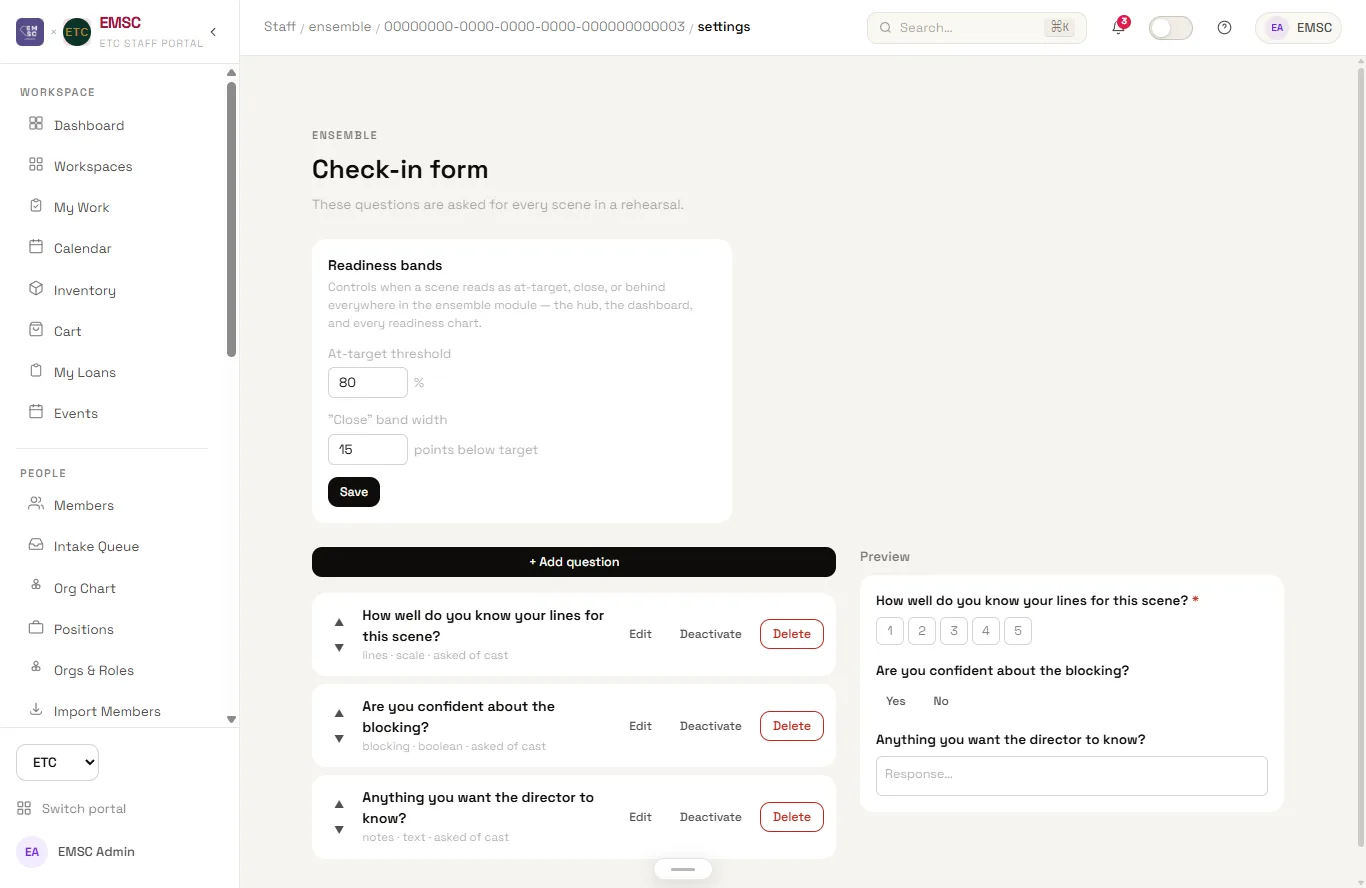
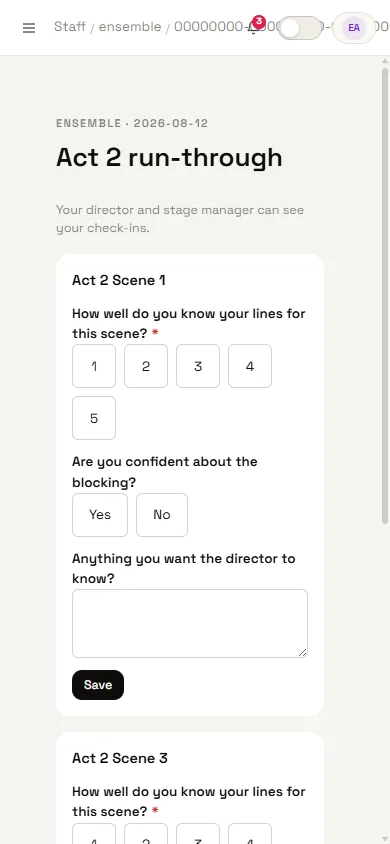
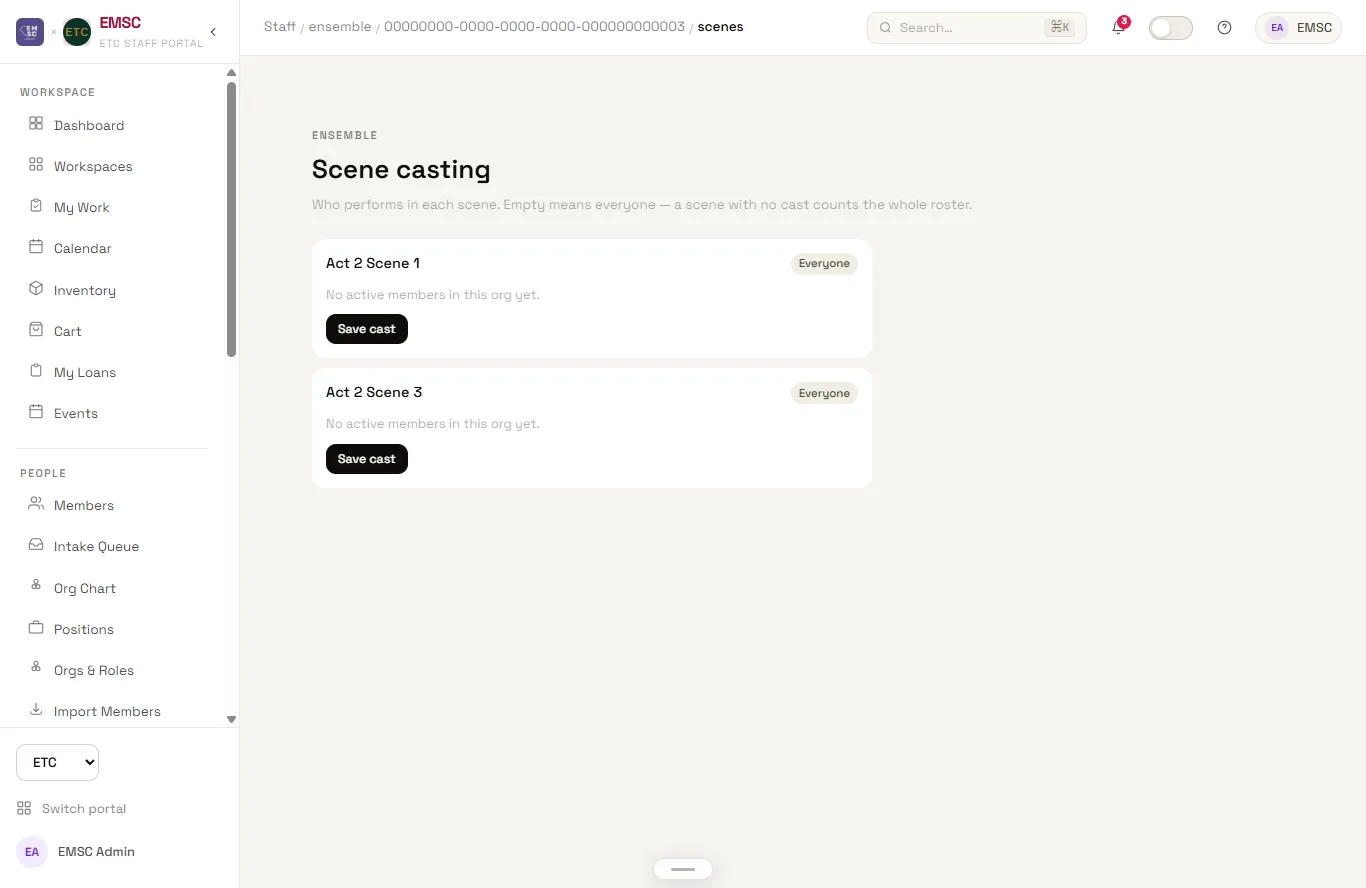
Originally a Google Apps Script tool built for one theatre production, later migrated into the portal as its own module — the single clearest example, inside the portal itself, of the Apps Script → Next.js jump this whole project represents. Directors build a check-in form once per production, mixing question types (a confidence scale, a manager-style rating, a free-text note) that apply either to the whole session or to individual scenes. Cast members answer it from their phones scene by scene, and a readiness dashboard aggregates those answers into a trend — by scene, by dimension, self-reported versus what the director independently observed — that turns "how ready are we" from a gut feeling into a number the director can actually act on before opening night. Absences, session notes, and a full cast-and-crew roster live alongside the readiness data rather than in a separate document.
Track Sheets
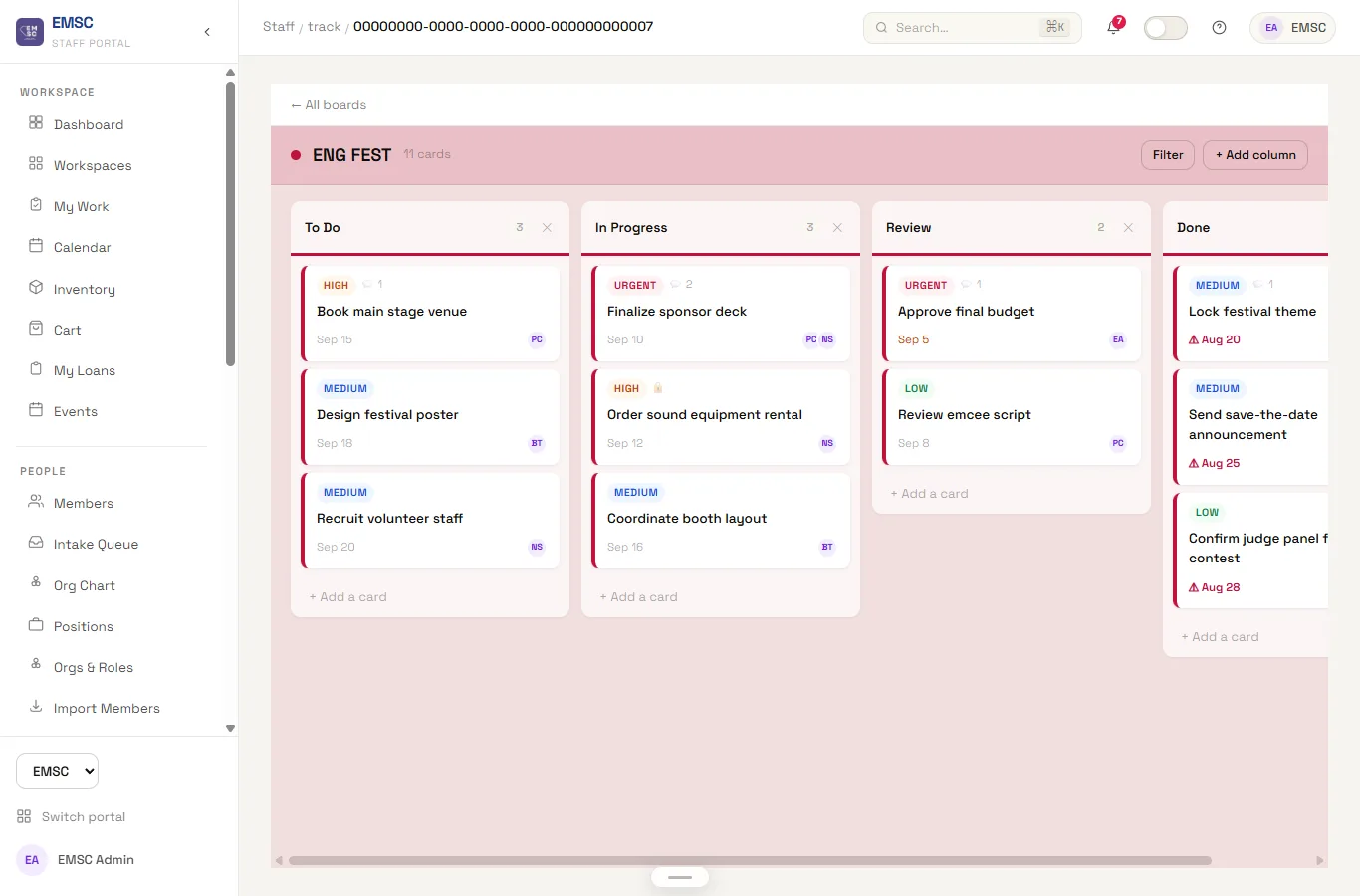
A per-org kanban board for the ongoing work a spreadsheet was never quite shaped for — festival planning, production prep, task lists that outlive any single event. Cards carry an owner, a due date, and a comment thread, and an item flagged urgent has to be explicitly acknowledged by the person it is assigned to rather than sitting unread in a notification badge. This is the module that most directly replaced "a column of colored cells only one person understood" — every prior version of committee task tracking had a tribal-knowledge colour code that only made sense to whoever built it.
Permissions & Admin
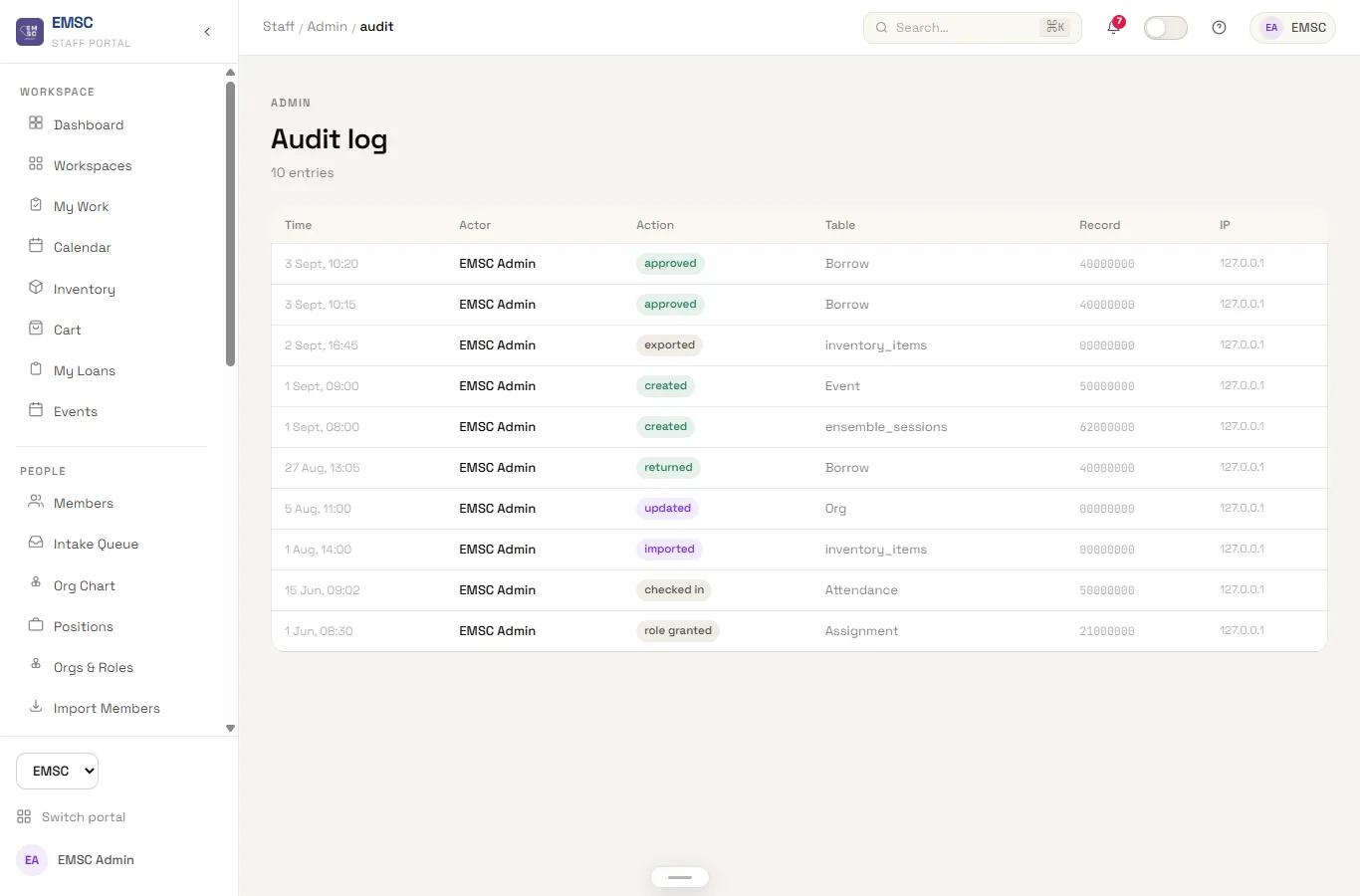
A per-role, per-module permission grid replaces four different sets of tribal knowledge about who was allowed to do what. Every module in the portal declares its own actions in one central registry — inventory has view/create/edit/delete, events has view/register — and a role's access is just which (module, action) pairs it has been granted, checked the same way on every page and every API route rather than reimplemented per feature. An admin bypasses the grid entirely by design, everyone else is exactly what the grid says, and an audit log records who changed what and when, so a permissions dispute is a lookup instead of a guessing game.
Calendar & Notifications
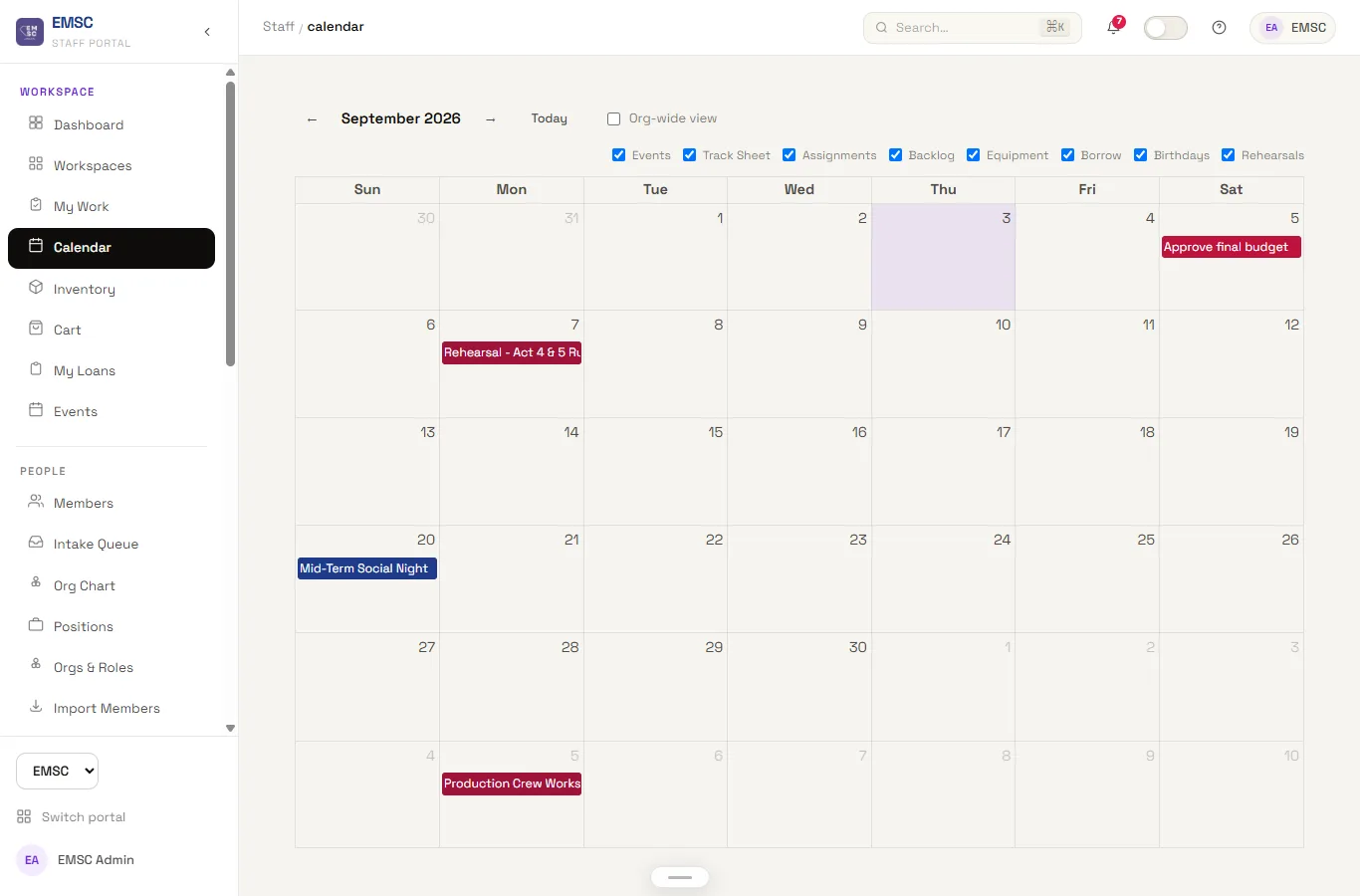
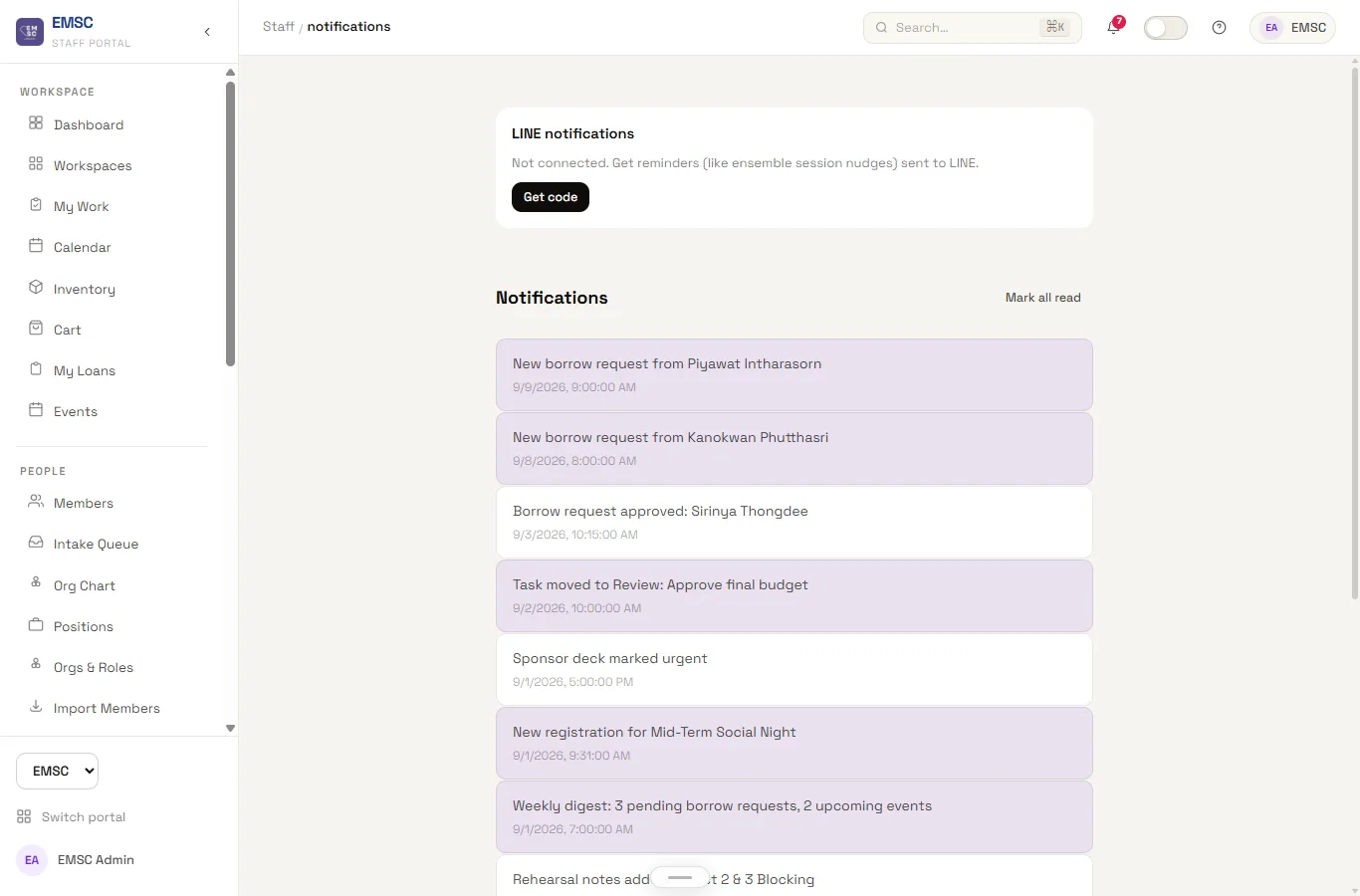
Events, assignments, and deadlines in one calendar, with an in-app notification center and LINE push replacing the group-chat announcement as the only record that something happened. Notifications can go out on a schedule rather than only in response to an action — a digest rather than a message every time a single row changes — because a committee that gets pinged for everything stops reading any of it. LINE was the deliberate choice over email for anything time-sensitive: it is where the committee already reads messages, and a system that sends to an inbox nobody checks has not actually solved the communication problem.