Event Registration
QR check-in, waitlists, and a live attendance display, built on Google Apps Script and Google Sheets at zero monthly cost.
Event Registration
Event sign-in was a printed name list at a door. Queues formed while staff searched pages by hand, walk-ups had no waitlist, and the final attendance figure was transcribed from paper the following day.
- Monthly running cost
- ฿0
- Google Apps Script
- Google Sheets
- QR codes
- Gmail
How it works
A participant registers through a bilingual form, gets a QR code by email, and is scanned in at the door. Staff run a scanner page on their own phones; a separate live display shows the room filling up in real time. Check-out is scanned too, so the attendance figure is a fact rather than an estimate, and the whole thing exports to CSV when the event is over.
Events open and close, so registration closes itself rather than depending on someone remembering to take the form down.
Details that only show up in a real event
The email rule has an exception. Students must register with an
@bumail.net address — that is how the system knows they are who they say they
are. But alumni no longer have one, and the first version locked them out of
their own department's events. Alumni are now exempt from the domain check
while every other validation still applies.
Every message is bilingual. Errors come back in Thai and English together, in one string, because a registration form that fails in a language you are less comfortable reading is a form you abandon.
Check-in runs inside a token window. A QR code that works forever is a QR code that gets screenshotted and forwarded. Tying validity to a window means a scan proves someone is at the door now.
Dates are normalised to Bangkok time explicitly. Apps Script will happily
hand you a Date in whatever timezone the script property says, and an event on
the 14th quietly becomes the 13th for anyone reading the export. It is a
one-line conversion and it is the kind of bug that is invisible until it is
embarrassing.
What it replaced
A printed name list at a door. Queues formed while staff searched pages by hand, walk-ups had nowhere to go, and the final attendance number was transcribed from paper the following day — by which point the paper had usually been folded into someone's bag.
Public Registration Form
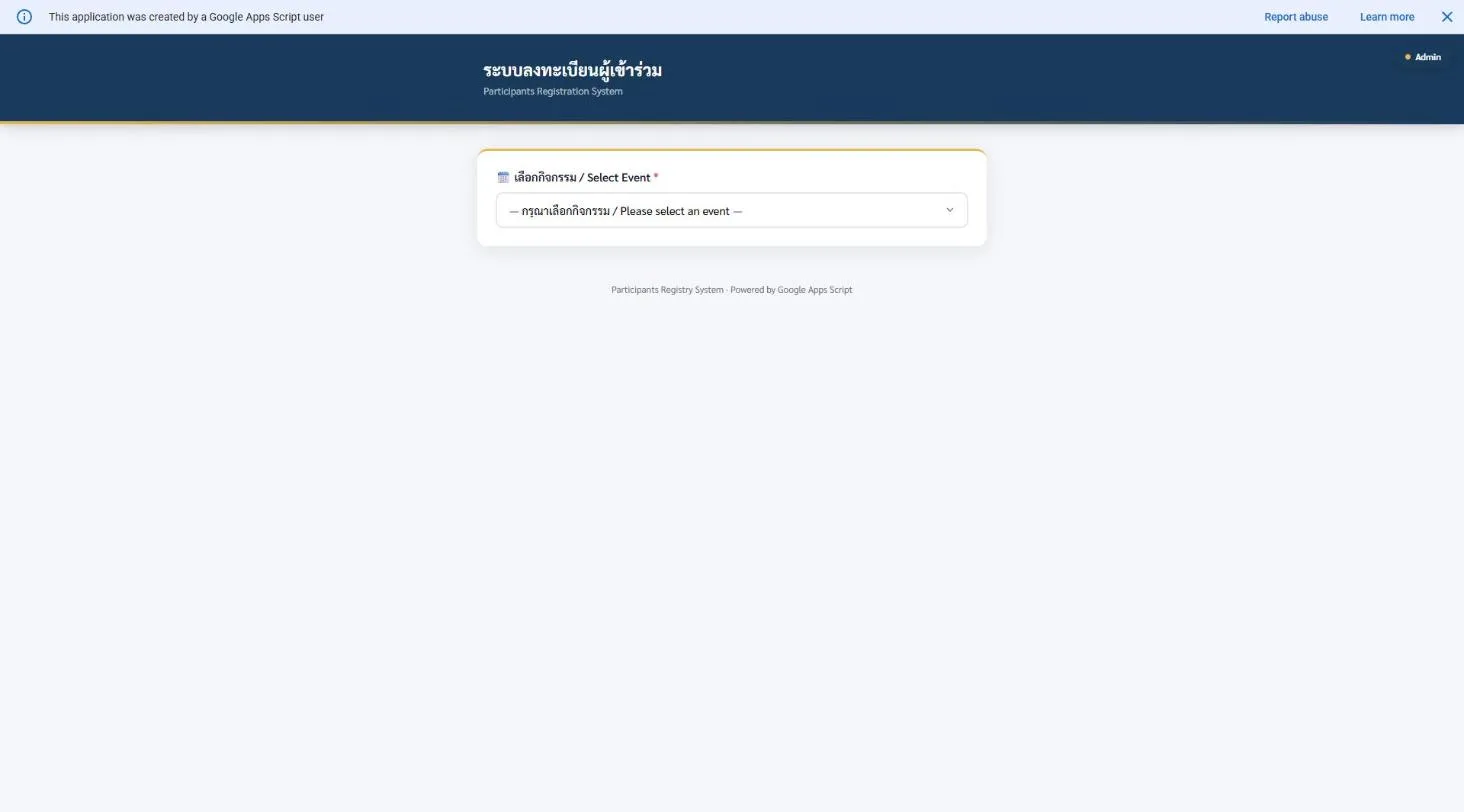
Bilingual (Thai/English) and open to anyone with the link — the printed name list at the door became a form that validates itself and a waitlist that fills automatically once an event hits capacity, instead of a coordinator manually cutting off sign-ups and turning people away by eye. A rate limiter caps how many registration attempts one identity can make in a sliding window, so the form survives someone mashing submit as much as it survives someone trying to game a limited-capacity event. Each registration issues a token with a validity window scoped tightly around the actual event date, so a QR code generated in March cannot be replayed to check someone in to an event in September.
System Status Monitor
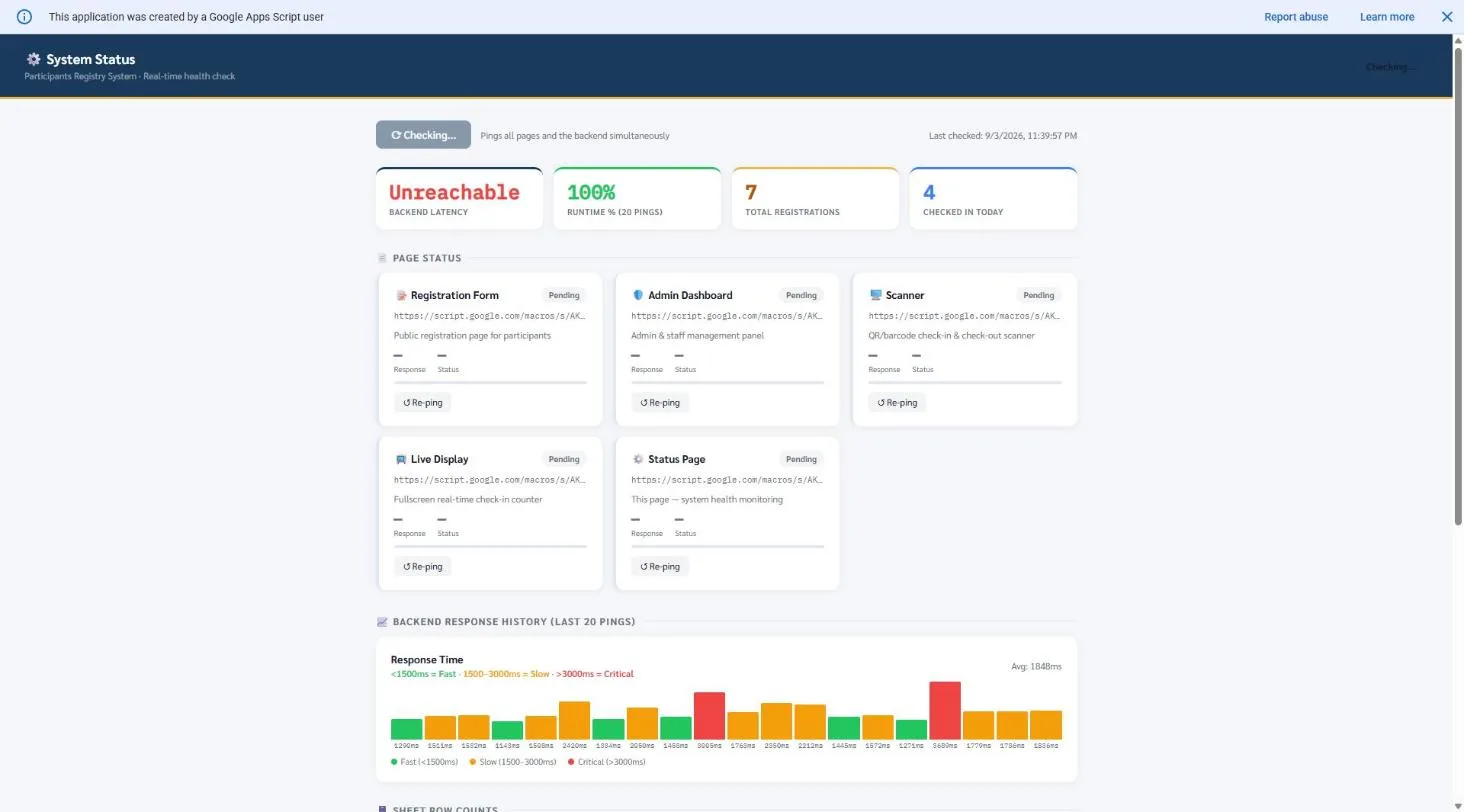
A real-time health check pinging every page and the backend simultaneously — the public form, the admin dashboard, the QR scanner, the live display, the status page checking itself — with response-time history bucketed into fast, slow, and critical, and a live registration count. Built because "is the check-in scanner actually working right now" needed a faster answer than opening five tabs and testing each one by hand, especially standing at a door with a line forming and no time to debug. This is the one piece of the four Apps Script systems that exists purely for the operator, not for a committee member or a guest — a small admission that a system running on someone else's free-tier infrastructure needed its own way to ask "are you actually up."
The Code (Apps Script)
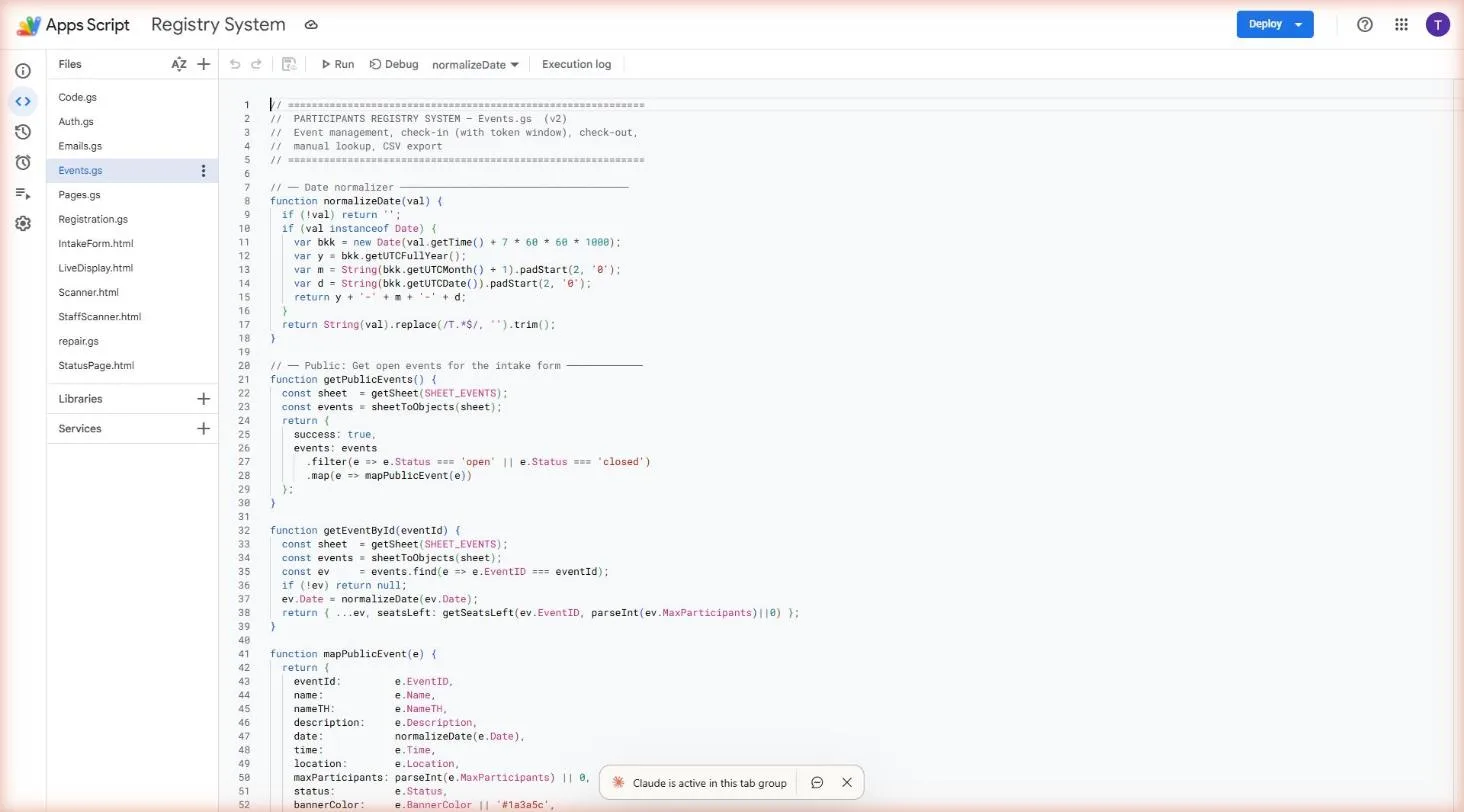
Event management, token-windowed QR check-in, and CSV export in one file — a date normaliser that collapses whatever format a date arrives in down to one canonical shape, because a spreadsheet with three different date formats in the same column is how a working system quietly breaks. The token window means a QR code only validates a few hours before and up to a full day after the actual event date, not indefinitely, so a screenshot of last semester's ticket cannot be reused. Check-in, check-out, and a manual lookup for the inevitable case where someone's QR code will not scan all route through the same event record, so attendance numbers never have to be reconciled from two different logs afterward.