Committee Registry
OTP-verified member registry with an AI automation suite, built on Google Apps Script and Google Sheets at zero monthly cost.
Committee Registry
Committee membership lived in a Google Form response sheet. Duplicate and mistyped entries accumulated, nobody chased inactive members, and answering a question about the roster meant reading the sheet by eye.
- AI automations in production
- 8
- Monthly running cost
- ฿0
- Google Apps Script
- Google Sheets
- Groq AI
- Discord webhooks
- Gmail
How it works
The registry holds the committee's whole membership lifecycle: intake form, OTP-verified registration, password provisioning, Discord account linking, the org chart, attendance, memberships across more than one organisation, and archival when someone leaves. Two kinds of user — admins who run registration drives, and members who log in occasionally to check their profile or see where they sit in the org chart.
It replaced a Google Form response sheet. Duplicate and mistyped entries accumulated there faster than anyone cleaned them, nobody chased inactive members because nobody knew who they were, and answering a question about the roster meant reading the sheet by eye.
The AI automation suite
Eight automations run in production here, all on Groq:
- Duplicate detection during bulk member import
- Auto-approval scoring for equipment borrow requests
- Automated post-event reports
- Natural-language search across all three Apps Script systems
- Personalised absence follow-up emails
- Predictive inventory demand forecasting
- A chatbot with function calling, on an
/askcommand - Inactivity detection that sends a soft warning rather than a removal
Most of these are decision support, not chat. Forecasting demand and scoring a borrow request are the two that actually removed recurring work — a human still decides, but they start from an answer instead of a blank sheet.
The chatbot is the one people demo and the one I would cut first if I had to choose. Duplicate detection is unglamorous and has probably saved more hours than the rest combined.
Running it for nothing
The whole suite runs on a free tier, with no credit card attached. That was a hard constraint — a student committee has no budget line for API calls, and a system that stops working when a trial expires is worse than no system.
It shapes the design: batch where possible, use the small fast model unless the
task genuinely needs the large one, and never call a model for something a
if statement can answer.
Sign In
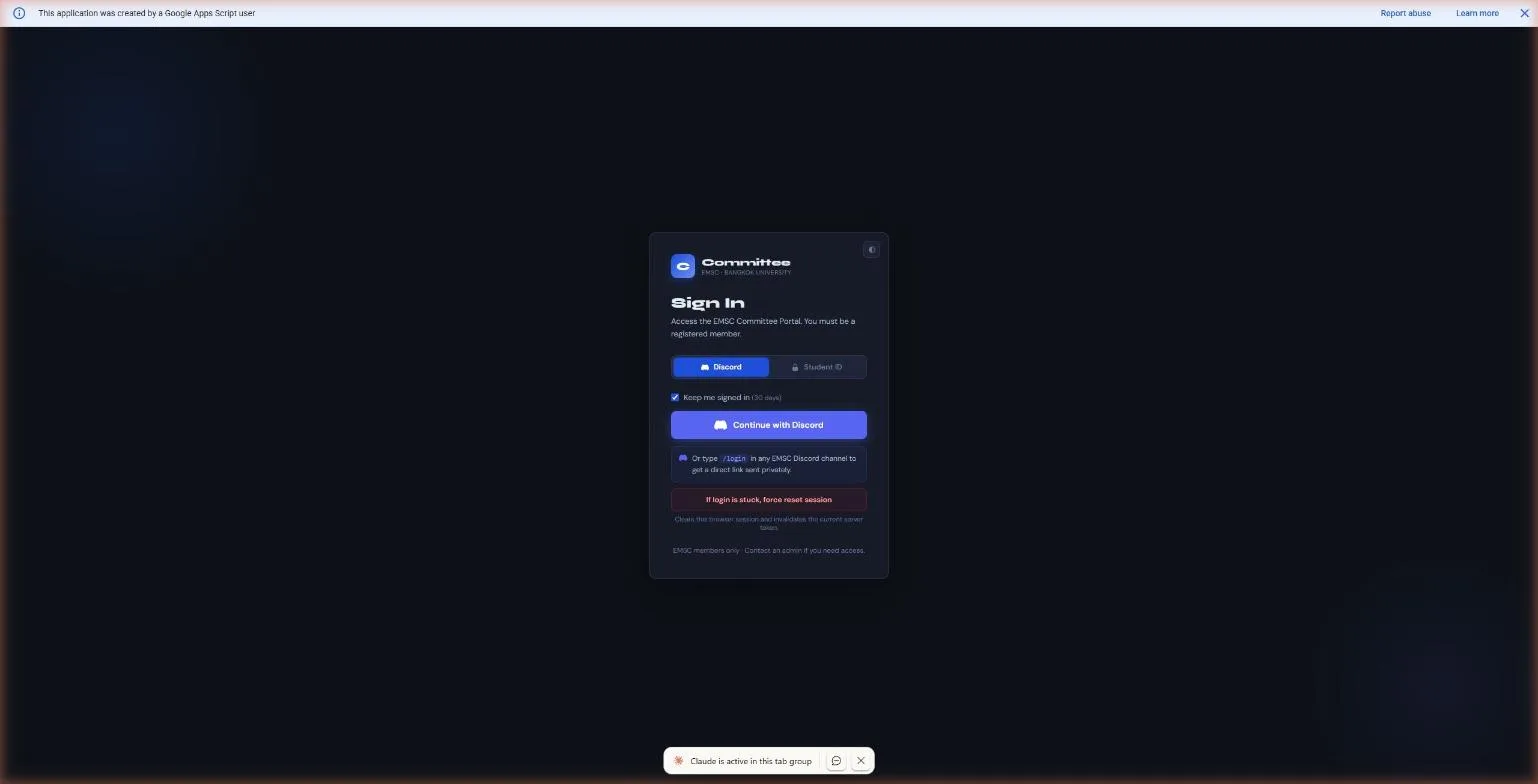
Two independent auth paths — Discord OAuth for day-to-day use, since that is where the committee already lives, and a self-contained student ID and password login that needs no external service at all. The two are unified behind one session model: whichever path a member signs in through, their permission level is still derived the same way, from their role in the registry. That independence turned out to matter in practice, not just in theory — when the Discord bot that issued OAuth login links was taken offline, the student ID path kept working without any code change, because it was built to need nothing from Discord in the first place.
The Data Validation System
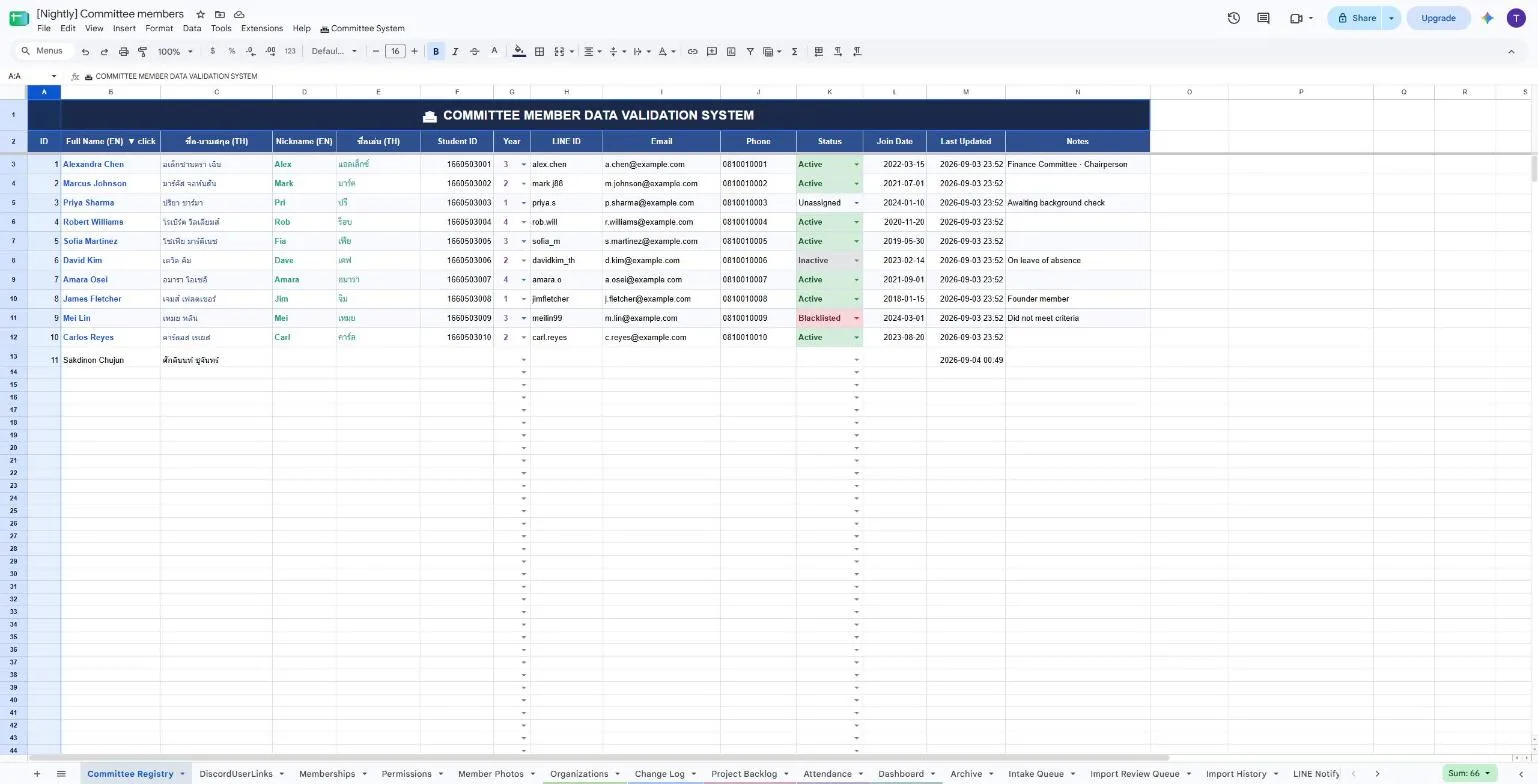
The registry sheet, literally titled the Committee Member Data Validation System — every column that drives logic elsewhere (status, year, role) is a dropdown-constrained field, not free text, so a typo cannot silently create a fifth status nobody's code expects to see. That constraint is enforced at the spreadsheet level, not just in the Apps Script layer, which matters because a human editing the sheet directly — which will happen, eventually, to someone — is caught by the same validation a form submission would be. Organisation and role membership live in a separate join sheet rather than as columns on the person, the same identity-versus-membership split the portal rebuild later generalised across all four systems at once.
The AI Automation Suite
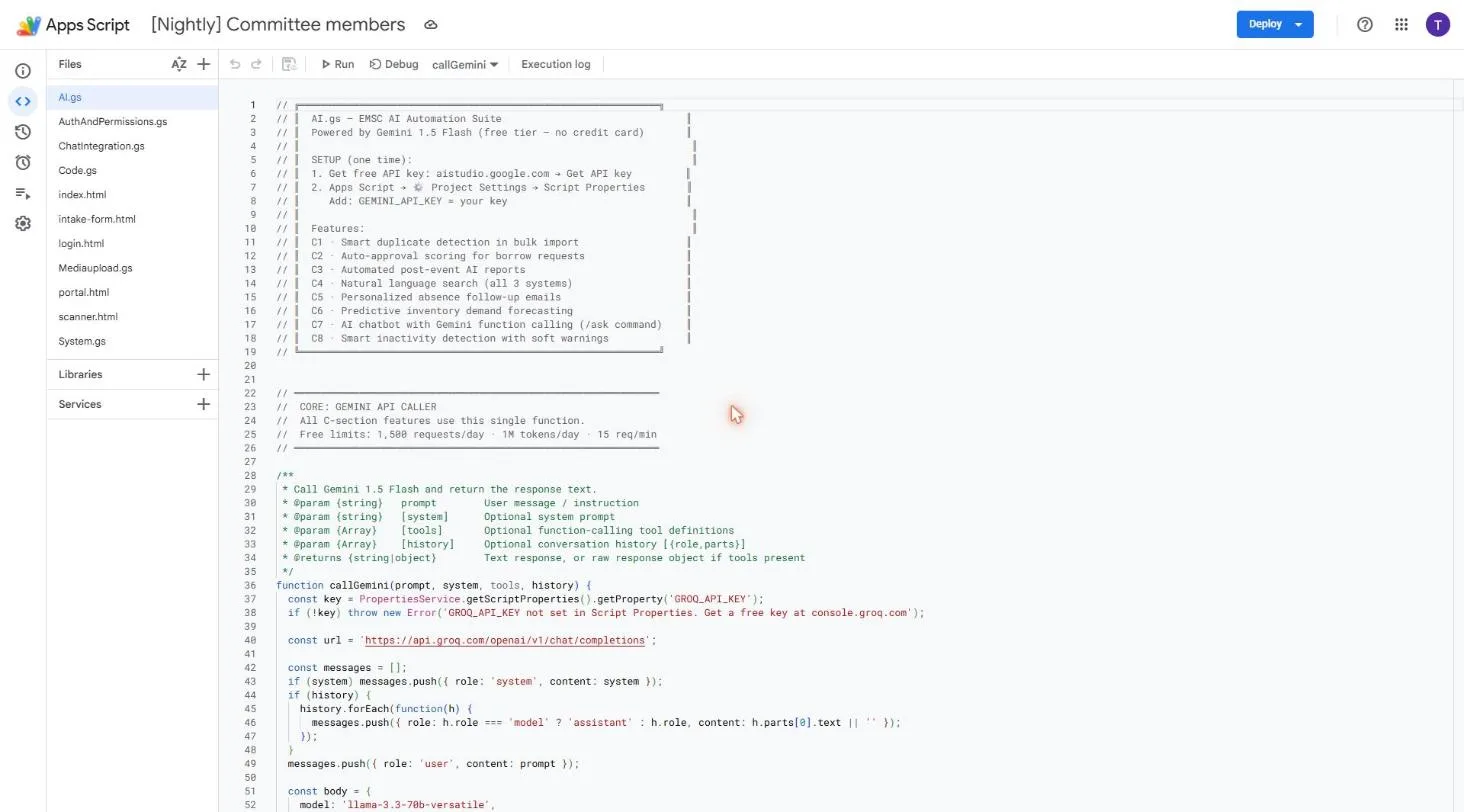
Eight AI-assisted features share one caller function — duplicate detection on bulk import, auto-approval scoring for borrow requests, an automated post-event report, natural-language search across all three Apps Script systems at once, personalised absence follow-up emails, predictive inventory demand forecasting, a chatbot with function calling, and soft warnings for members drifting toward inactivity. Every one of them calls the same single function rather than each rolling its own API integration, which is what made migrating the whole suite off Gemini a one-file change rather than an eight-feature rewrite when Gemini's free tier was withdrawn. It now runs on Groq — llama-3.3-70b-versatile for reasoning, llama-3.1-8b-instant where speed matters more than depth.